ESP32 · ESP8266v1.0.0
Sub vendo
An extra coin slot in another spot. Works with your main vendo (ESP32 or Orange Pi One) over WiFi.
What you need
- A main vendo (ESP32 or Orange Pi One) with the latest firmware
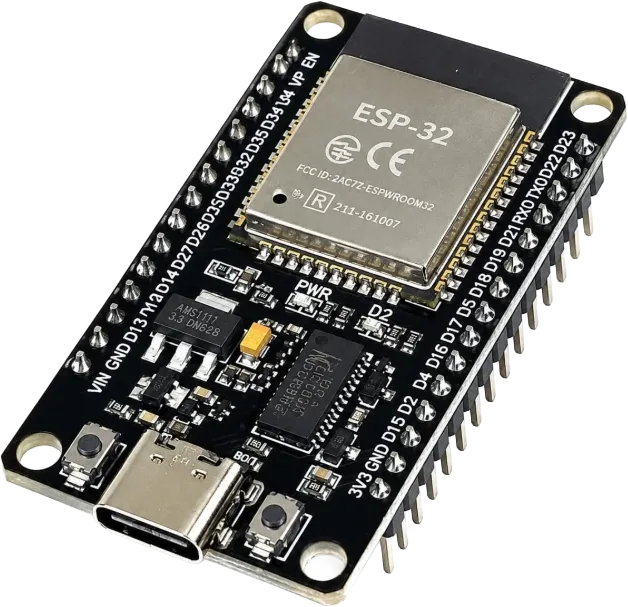
- ESP32 DevKit, or ESP8266 NodeMCU / Wemos D1 mini (4MB)
- Coin acceptor (12V), PC817, relay, 12V→5V buck
- A sub vendo license (₱299, lifetime, per board)
Files
1
Latest Sub vendo firmware
Pick the file for your board: ESP32 or ESP8266.
Sub vendo firmware (ESP32) v1.0.0
ESP32 DevKit (4MB). Flash at 0x0. Coin signal GPIO 27, relay GPIO 26.
Sub vendo firmware (ESP8266) v1.0.0
NodeMCU / Wemos D1 mini (4MB). Flash at 0x0. Coin signal D6, relay D5.
Flash it from your browserPlug the board in by USB, press Install. Chrome or Edge on a computer.
Open Web Flasher
How to install
- Plug the board in by USB and open the Web Flasher (Chrome or Edge on a computer). It picks the ESP32 or ESP8266 file by itself. Or flash the file for your board at address 0x0 with esptool-js.
- Wiring: ESP32 coin signal GPIO 27, relay GPIO 26. ESP8266 coin D6, relay D5. Use a PC817 on the coin signal.
- Join the WiFi SubVendo-XXXX (password 12345678) and open http://192.168.4.1.
- Enter your WiFi, the main vendo's IP address, and the pair code from the main vendo admin › Sub vendos.
- It shows up in the main vendo admin › Sub vendos. Press Buy license there to remove the DEMO limit.
Downloads are free. The firmware runs in DEMO (up to ₱20 in sales per day, no voucher generator) until it gets a license. Buy a license to remove the limit.